ONRAIN WORKSPACE
One system to run the whole organisation.
Members, events, shared email, documents, tasks and calls behind one login, with Nefeli, the built-in assistant. For associations, chambers, institutes and any team that runs on members and events.
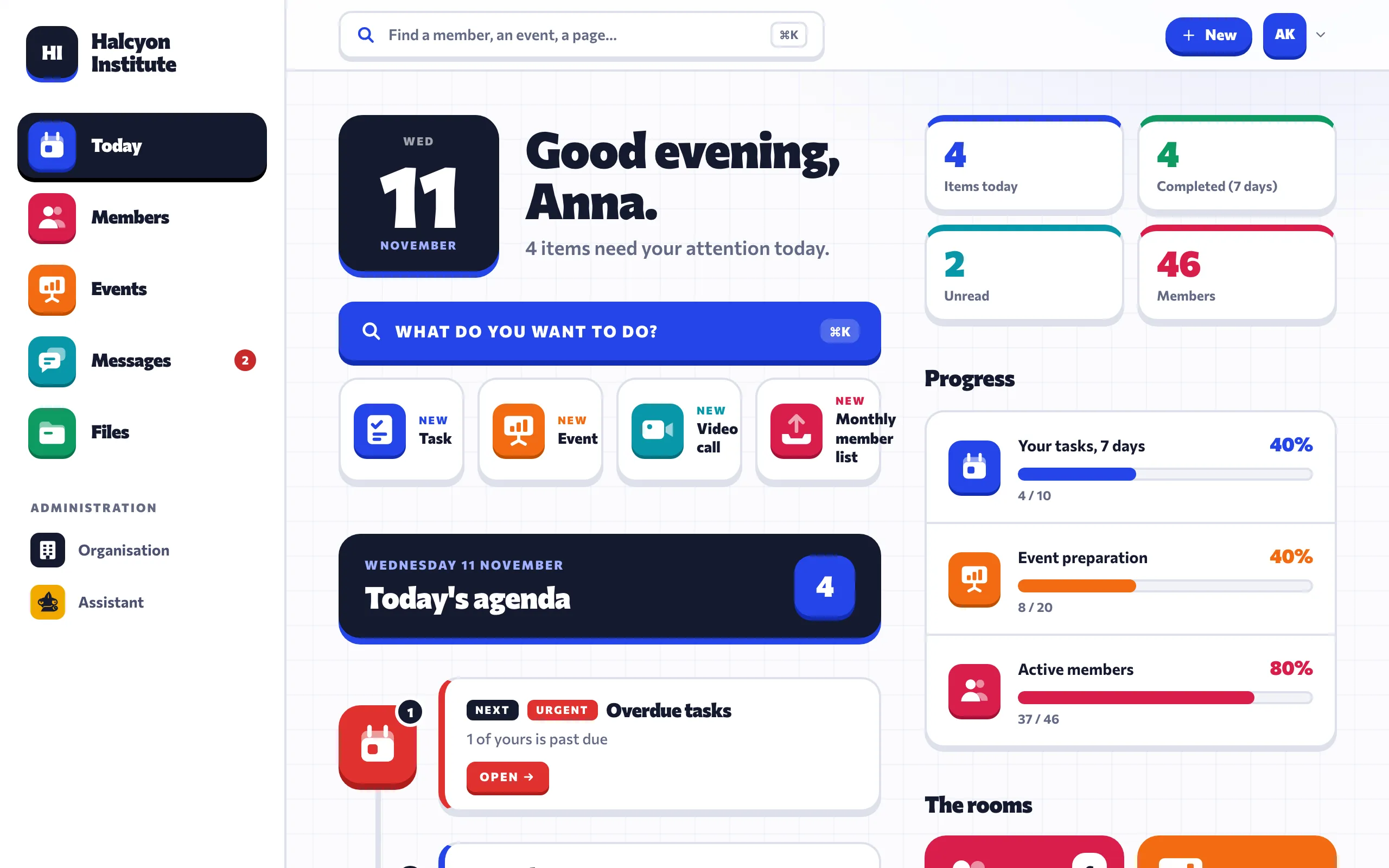
INSIDE THE PROGRAM
This is the real thing.
Real screens from Onrain Workspace. The organisation, the people and the numbers in them are invented.
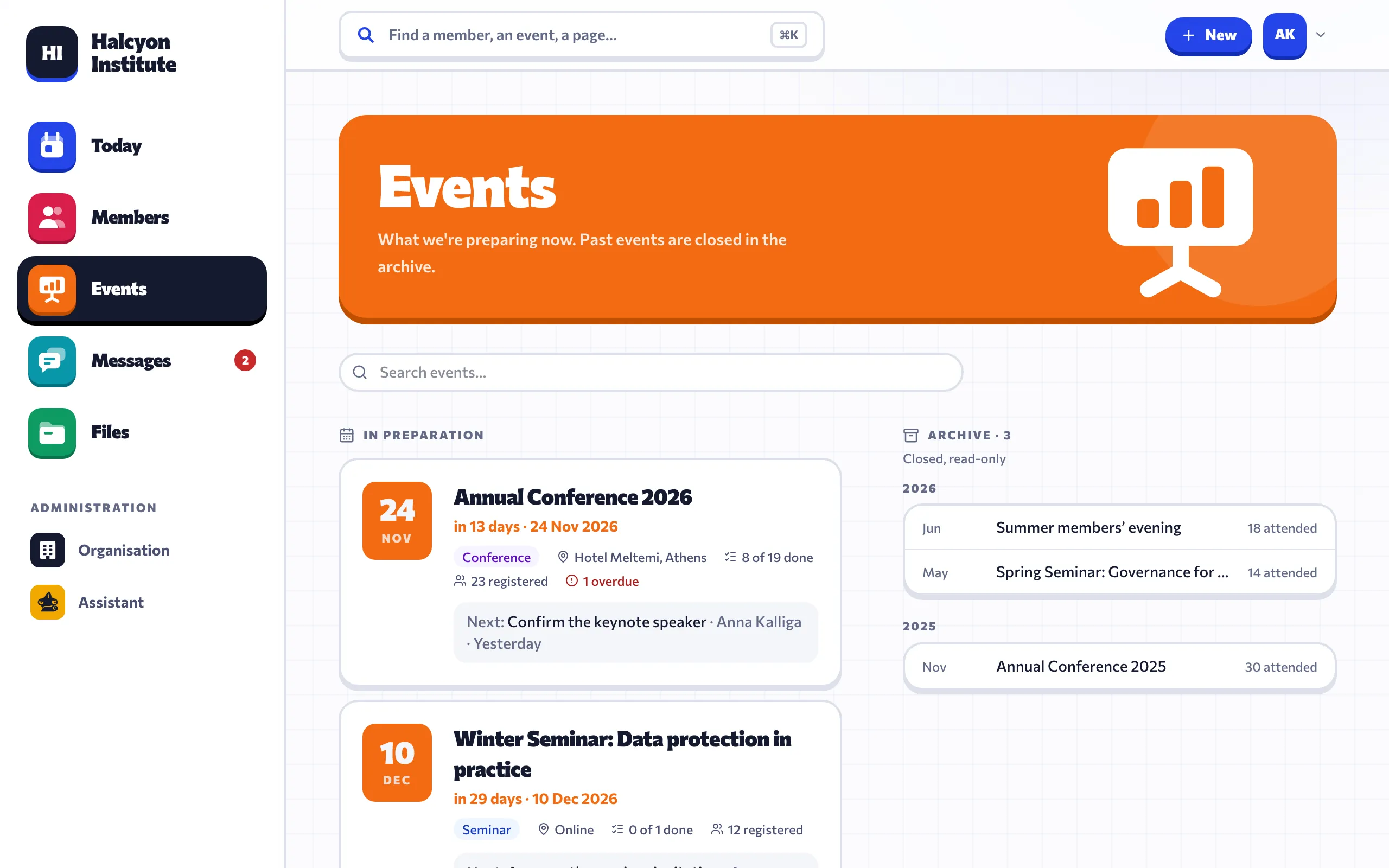
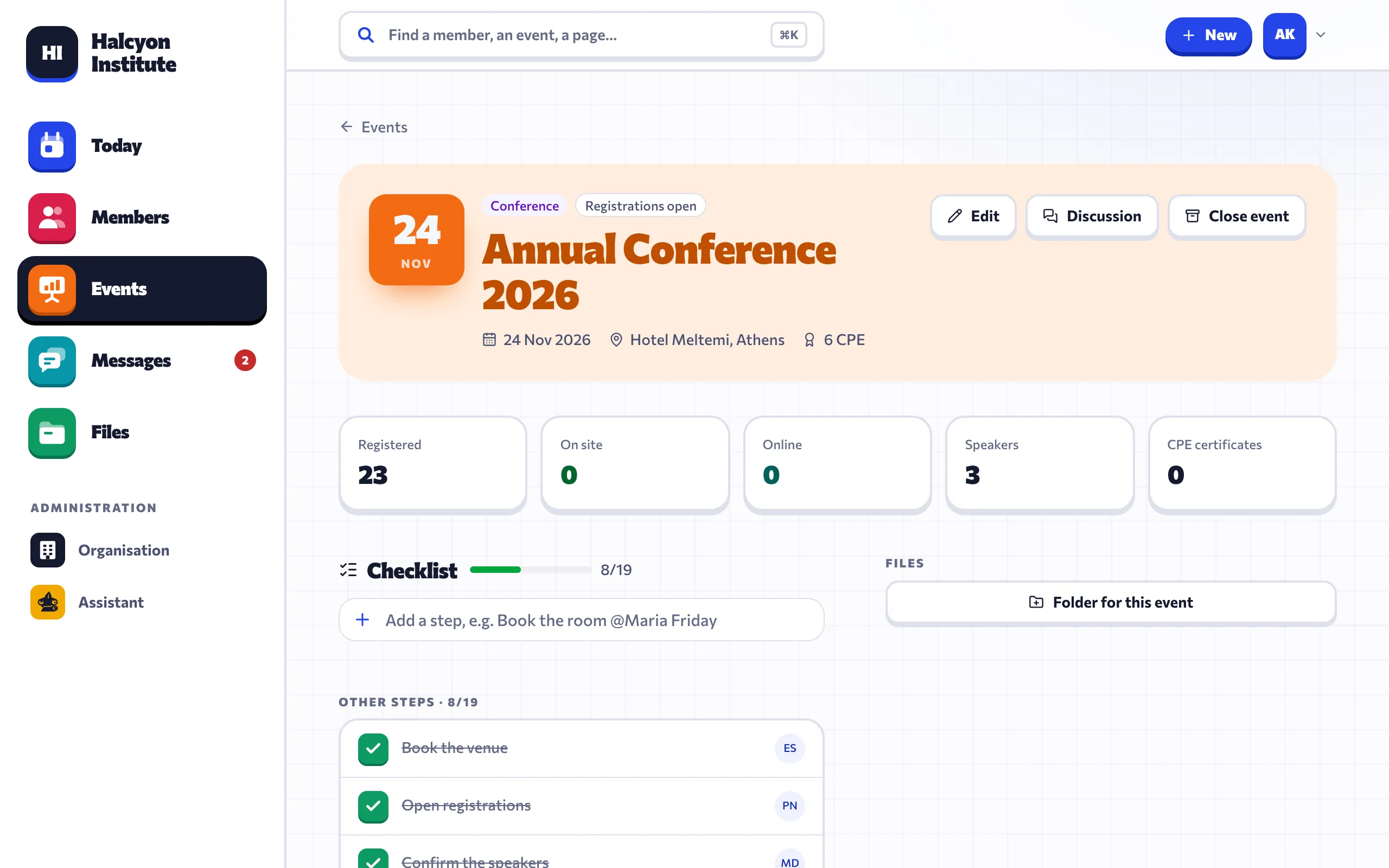
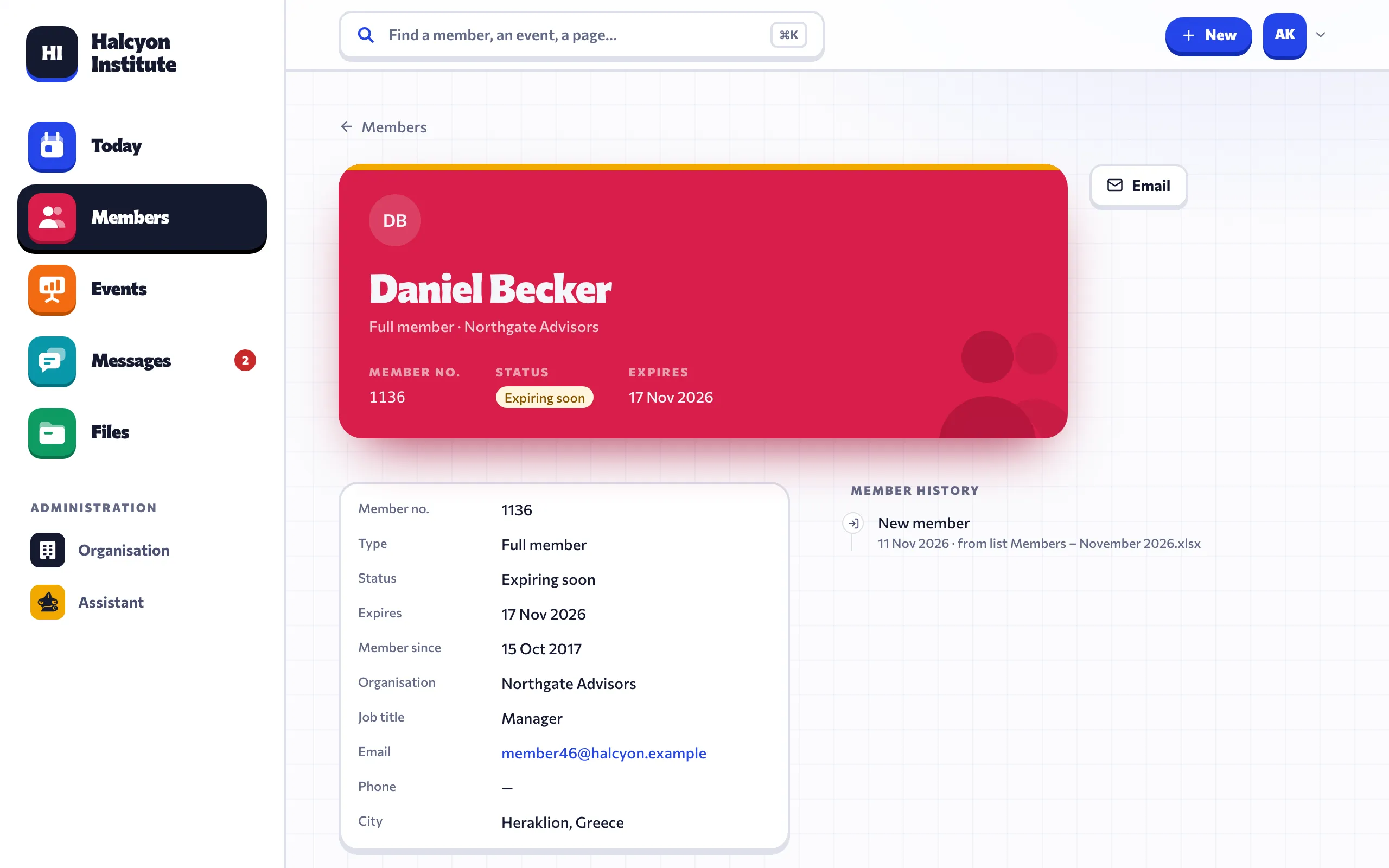
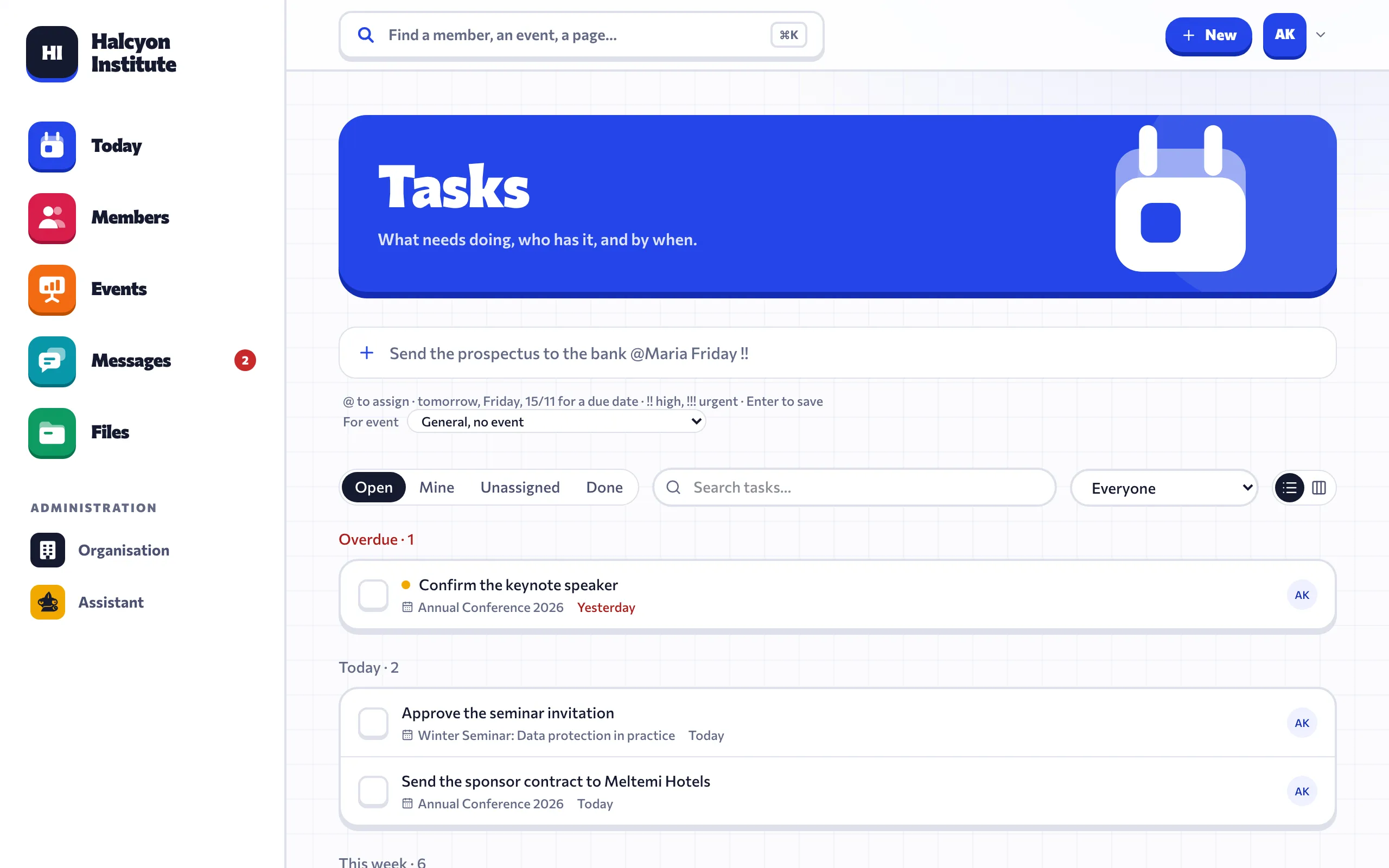
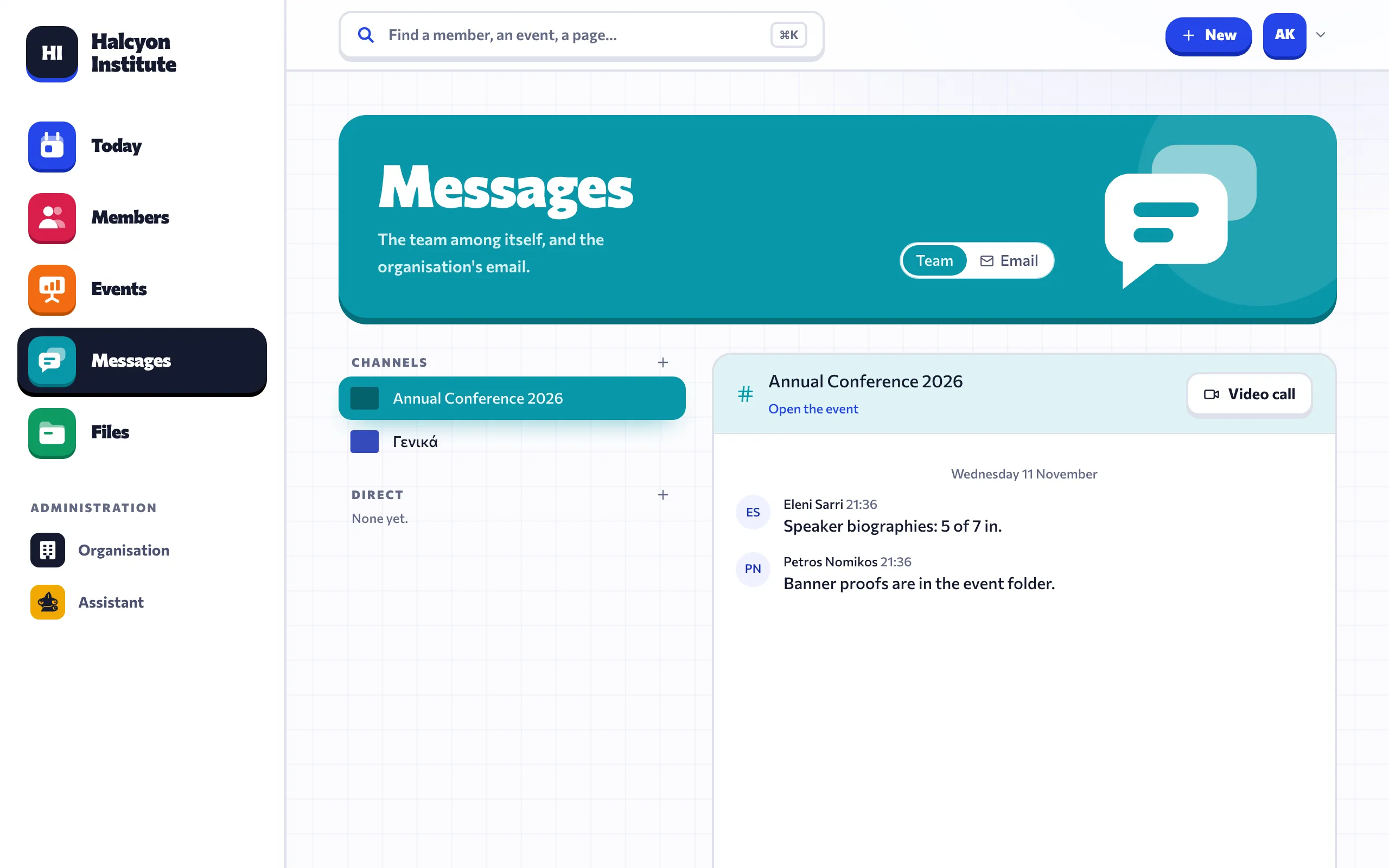
SCREENS FROM THE PROGRAM ITSELF, WITH AN INVENTED ORGANISATION
LIVE DEMO
Now try it yourself.
The real program, opened for you with an invented organisation. No sign-up and nothing to install. A guide on every page tells you what it is and what to try.
- Tick tasks, open events, look up members
- Ask Nefeli the three ready questions
- Saving is switched off, so you cannot break anything
Loads only when you press the button. On a phone it opens in its own tab.
WHAT IT REPLACES
One login instead of six tools.
Most organisations run on a member spreadsheet, a shared mailbox, a drive full of folders and a handful of chat and video apps. Workspace puts all of it in one place, and connects it.
Member spreadsheetsShared mailboxCloud driveChat appVideo callsTask board
Onrain Workspace
WHAT'S INSIDE
Eight modules. Everything connected.
An email gets filed on an event. The event has its own tasks, files and participants. A member's page shows all of it. Switch on only the modules you need.
Today
Opens on what needs you.
- Overdue, due today and about to expire, in one list
- A short morning note written for you
- One search-and-do bar for everything (⌘K)
Members & contacts
Every person and organisation, with their history.
- Import the member list you already keep
- See who joined, renewed or lapsed, worked out for you
- A timeline per person: events, emails, tasks
Events
From the first checklist to the certificates.
- A ready checklist for each type of event
- Participants, attendance on site and online, training credits
- Sponsors, costs and files kept with the event
Shared email
A team inbox sorted by what to do, not by folder.
- Four lanes: reply, waiting, for information, filed
- File a conversation on an event or a member in one click
- Attachments saved straight into the right folder
Documents
Files that live where the work is.
- Shared folders with access by role
- Word, Excel and PowerPoint open in the browser or in desktop Office
- PDF in one click, synced to each person's computer
Chat & video calls
The team's conversations, next to the work.
- Channels, direct messages and a channel per event
- Video calls on a private server, with a waiting room
- Guest links for people outside the team
Tasks
Written in one line, never lost.
- Type "call Maria tomorrow" and it is filed
- List or board, by person and by event
- Every change is recorded
Finance
Who has paid, and what is still open.
- A record of issued invoices and their status
- Sponsorships from first contact to paid
- Expenses, with payroll lines visible only to the right roles
MEET NEFELI
Nefeli, the assistant that knows your organisation.
Nefeli lives in the search bar. Ask her in plain language and she answers from your own members, events, emails and files, then prepares the next step for you to approve.
- She reads. She never sends an email or changes a record without your click
- Every ability has its own switch, per organisation
- Three levels of care: a quick look, a careful look, or the full 360°
- You see what she costs, month by month
WHAT NEFELI DOES
Answers questions
"Who hasn't renewed since March?" "How many seats are left?" Answers come from your own records, with links to them.
Sorts the inbox
For every new email she suggests where it belongs: which lane, which event, which member, who should take it.
Drafts replies
A reply written from the facts on file, with gaps marked for you to fill. It waits until you press send.
Writes the morning note
A few lines when you open the day: what is late, what is due, what changed since yesterday.
Creates documents
Real Word, Excel and PowerPoint files: a sponsor letter, a budget with working formulas, a deck. Saved in the right folder.
Finds things
She searches your archive of PDFs, Word and Excel files, and the web if you allow it, and tells you where the answer came from.
WHO IT'S FOR
For organisations that run on people.
Associations and societies
Members, renewals and an annual conference.
Chambers
Hundreds of member companies and a full calendar.
Institutes and training bodies
Seminars, attendance, credits and certificates.
Foundations and NGOs
Donors, volunteers, sponsors and events.
Event teams
Speakers, sponsors and participants in one place.
SECURITY AND CONTROL
Your data stays yours.
A private installation
Each organisation gets its own installation and its own database. Nothing is shared between customers.
Hosted in the EU
On European servers, with a backup every night.
Access by role
Administrator, board, staff, volunteer or read-only. People see only what their role allows.
A record of every change
Who changed what and when, kept in an activity log.
Greek and English
The whole interface, in both languages.
Browser first
Nothing to install. Mac and iPhone apps are in beta.
HOW TO START
From demo to daily use.
- 01
Demo
A 30-minute call. We walk through the system using the way your organisation actually works.
- 02
Set-up and import
We prepare your installation and bring in your member lists, contacts and folders.
- 03
Go live
Your team signs in. We train them, stay on call and keep the system updated.
PRICING
A subscription per organisation.
One subscription covers hosting, backups, updates and support. The price depends on the size of your team and the modules you switch on.
QUESTIONS
Who is it for?
Associations, professional bodies, chambers, institutes, foundations and clubs, and any company that runs memberships and events.
Can we keep using Word and Excel?
Yes. Documents open in desktop Office or in the browser, and they are saved back into the right folder.
Can we bring our existing data?
Yes. During set-up we import your member and contact spreadsheets and your existing folders.
Do we have to use Nefeli?
No. Every ability can be switched off, and Nefeli never sends or changes anything by herself.
Can we start with only a few modules?
Yes. Modules are switched on per organisation, so you can start with members and events and add the rest later.